Quickstart
Go from a new account to a project that is watching what AI assistants say about your brand, in about five minutes.
In about five minutes you can go from a blank account to a project that watches what ChatGPT, Perplexity, Gemini and the other assistants say about your brand.
It starts with a short setup wizard. You give it your website. It reads your site, works out your category and likely competitors, and proposes the questions worth tracking. You confirm or edit each part. Nothing is saved until the final step, so you can explore freely.
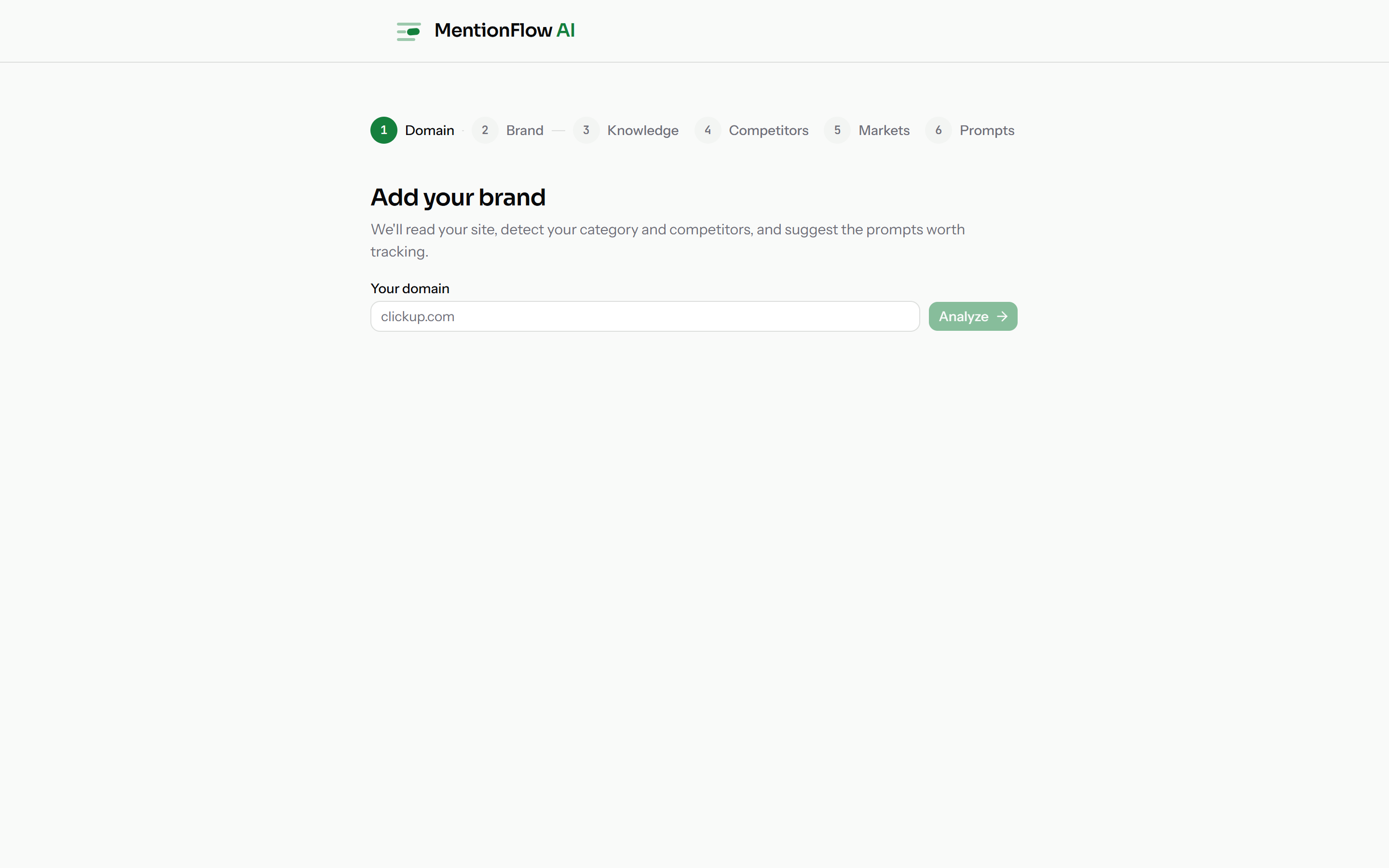
1. Point MentionFlow at your website
The wizard opens on the Domain step. Enter your primary domain and press Analyze. MentionFlow reads your site to work out what you sell and who you compete with. Your domain is also how it later tells your citations apart from a competitor's or a news article's, and it is the address it matches when you connect Google Search Console.
2. Confirm what we found about you
The next three steps show what MentionFlow worked out from your site. Correct any of it before tracking starts:
- Brand is your name and how you want to be identified in answers.
- Knowledge is a short profile: your product description, positioning, and list fields like products, differentiators, and proof points, edited as individual pills. It helps MentionFlow read answers in context and write better content for you later. It is drafted from your site, so you are editing, not starting blank. Skip it now and finish it in the brand hub's Knowledge tab whenever you like.
- Competitors is the rival set you will be measured against. Keep the ones that matter, drop the ones that don't, add any it missed.
Get this right now and every later metric compares you against the right companies.
3. Choose where and how we sample (the Markets step)
Markets decides how your brand is watched. It is what makes the numbers match your real market:
- Markets. Pick the places you sell in. Each one is a country plus a language, from 241 countries. An assistant answers a French shopper differently from an American one, so track where your customers live. You can pick up to five per project.
- Engines. Choose which AI assistants to sample, from your plan's four engine slots. The picker shows only what your plan allows, so what you see is what will run.
Every market you add costs prompt budget. A prompt is asked once per market, so two markets means each prompt uses two of your daily checks. The step does that math for you as you pick. Change markets later in Collection.
4. Pick the questions to watch
The last step, Prompts, is where you decide what you want to know. MentionFlow suggests a starter set. Most are the unbranded, category-level questions your buyers really ask, in your market's language. Keep them, edit them, remove them, and add your own. A live meter shows how many prompt slots your plan has left.
MentionFlow then asks these questions over and over. That is how you watch your place in the answers change.
Nothing is saved until you press Create on this last step. Everything before it is a preview you can freely change. You can edit all of it later too: market, persona, pause/resume, and this project's own engine set in Collection, and the workspace default engine set every project inherits on Engines.
5. Wait for the first collection
MentionFlow samples on a schedule, not the moment you finish setup. One snapshot tells you nothing. A steady reading tells you everything. Depending on your plan that is three days a week (Monday / Wednesday / Friday, UTC) or every day.
Until the first sample lands, the dashboard shows an honest "awaiting first run" state instead of a wall of zeros. So you never mistake "we haven't looked yet" for "you're invisible". See Plans and quotas for your cadence.
6. Read your first answers
Once samples land, three screens tell you where you stand:
- Overview is your headline: how visible you are, how you compare to competitors, how positive the tone is, and how often you are cited, all over a rolling window. While data is thin the header reads "Day N of collection", so an early number is never mistaken for a full week.
- Answers is the raw feed of everything the assistants said. Open any row for the full receipt: the answer as the engine wrote it, every brand it named in order, and the sources it cited. This is the proof behind every number.
- Actions turns all of that into a ranked to-do list, so you know what to fix first.
7. Improve
Three more screens tell you why you stand where you do, and give you the levers to move:
- Sources: the websites assistants cite when they answer your questions, so you know where to earn a mention.
- Competitors: who is winning the answers you want, and by how much.
- Fan-outs: the real web searches an assistant ran while answering you. Each one is a ready-made new prompt to track.
Next steps
- Learn the words the whole product is built on: Core concepts.
- Understand what each number means: Metrics overview.
- Connect Google Search Console for real demand data and page-level citation tracking.