CSV imports
Load your questions or your products from a spreadsheet. Two CSV importers that preview every row, re-check it on the server, and are safe to re-run.
If your questions or your products already live in a spreadsheet, you do not have to re-type them. MentionFlow has two CSV importers. One is for the questions you want to track. The other is for your product catalog. A spreadsheet becomes a running project in a couple of clicks.
Both importers work the same way. You see a preview of what will be added before anything happens. MentionFlow re-checks every row on its own server when you confirm. Nothing is written until you say so. Re-running an import fixes rows rather than duplicating them.
Import a list of prompts
Use this to bulk-load the questions you want MentionFlow to watch.
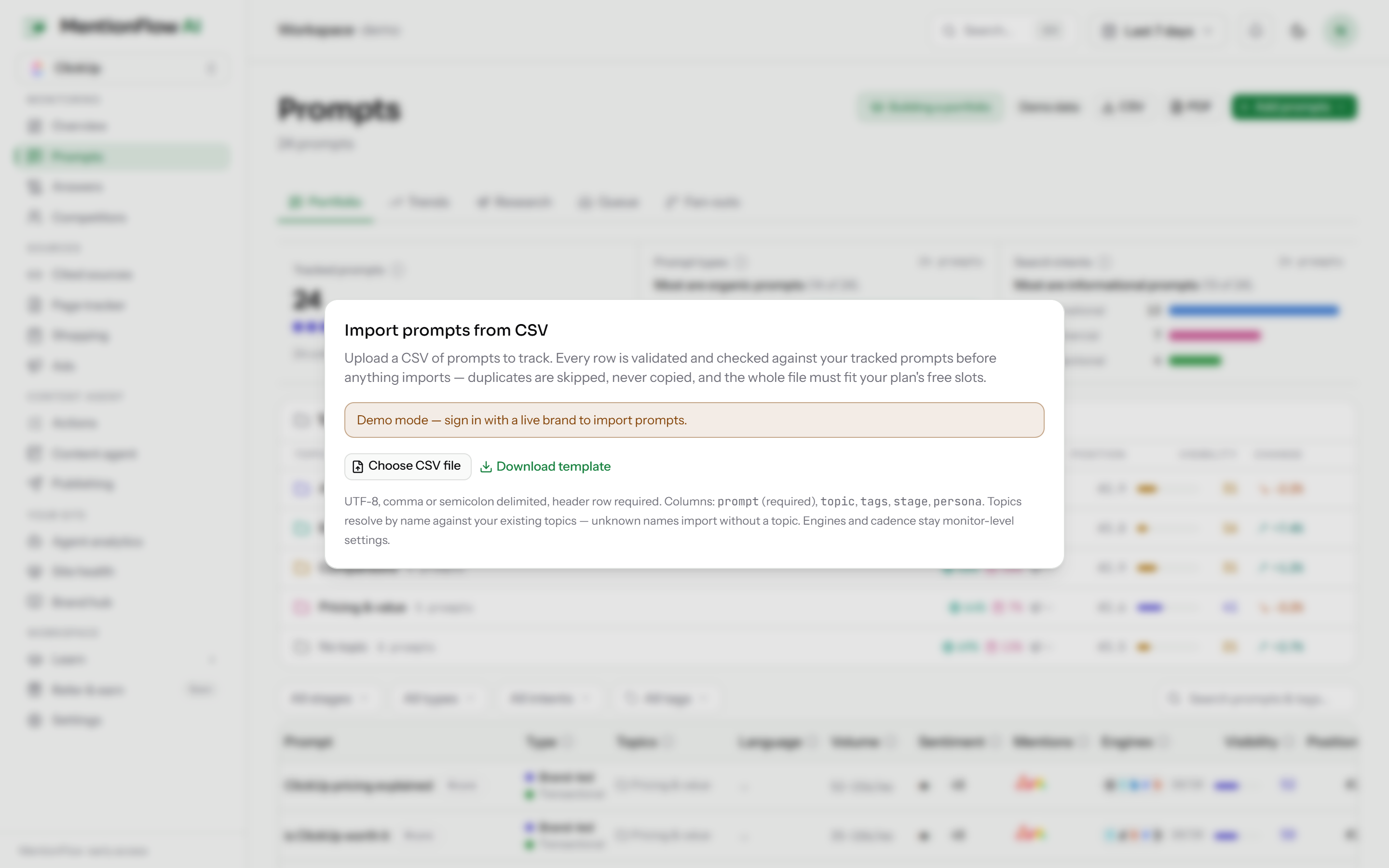
- On Prompts, open the Add prompts menu and choose Import CSV. A downloadable template shows the expected format.
- Drop in your file. Up to 2 MB and 500 rows. The delimiter is detected for you.
- The preview says how many rows are ready, duplicate, or invalid, and how they fit your remaining prompt quota. Confirm to add them.
Two things make this safe to run again and again. MentionFlow skips questions you already track, matched on the normalized text, so casing and spacing do not create accidental duplicates. And the import is all-or-nothing against your quota. If the whole file will not fit your plan, none of it is written and you are told why. You never get a half-finished import. See Plans and quotas for how the prompt quota works.
Import a product catalog
Use this to load the products MentionFlow should match against AI shopping carousels.
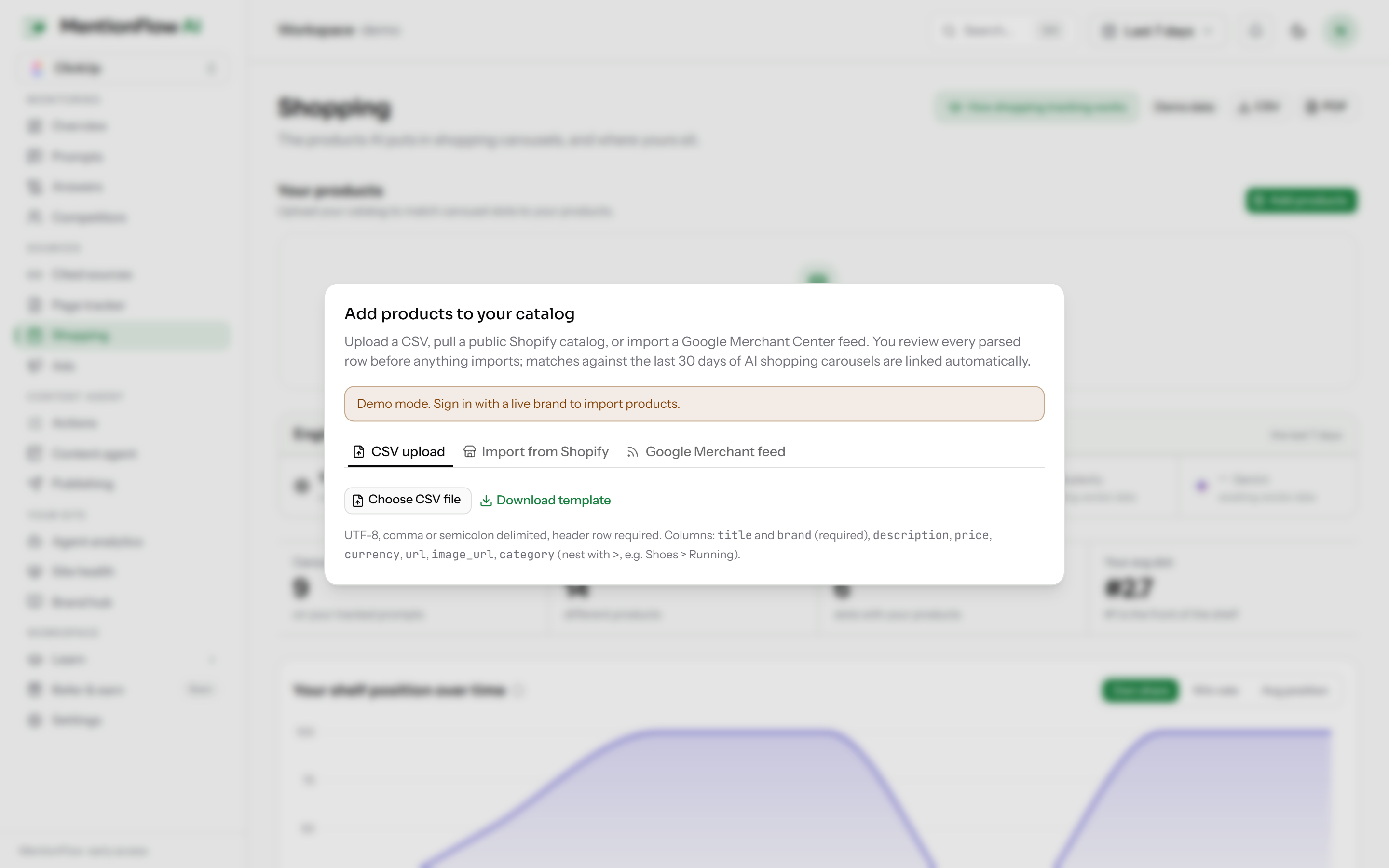
- Go to Shopping, click Add products, and stay on the CSV upload tab.
- Download the template if you need the column layout, then choose your file. Up to 1,000 rows and 5 MB. Only title and brand are required. The rest (description, price, currency, url, image, category) are optional.
- Review the preview and Confirm.
Product upserts are idempotent. Re-running a corrected file updates the existing products instead of creating new ones.
Good to know
- Prompts CSV: up to 500 rows / 2 MB.
- Products CSV: up to 1,000 rows / 5 MB.
Related
- Prompts: where imported questions live.
- Product imports: Shopify and Google Merchant Center feeds too.
- Plans and quotas: the pooled prompt quota the prompts importer checks against.